A US local number is often the first step for doing business in the North American market. When customers see a local number, their willingness to answer is noticeably different — and platform registrations, SMS verifications, and after-sales follow-ups all depend on a stable US number.
But many people get stuck at the very first step: How do I apply? How long does it take? What documents do I need? How is the cost calculated?
This guide breaks down the 2026 IntBell US virtual number application process clearly — from registration to activation, step by step.

What to Know Before You Apply
US numbers are ready to use immediately. IntBell currently supports numbers in the US, Canada, the UK, and Australia that are activated immediately after purchase, with no additional document review required. This means no waiting for manual approval — you can start using your number right after payment.
Individuals can apply. No company qualification is required. Individual users can register and activate a US local number. If you’re doing cross-border work or freelancing as an individual, there’s no barrier at this step.
SMS requires additional activation. Under US carrier regulations, VoIP numbers need to complete carrier registration before sending SMS to US mobile numbers. Receiving SMS and making/receiving calls are generally unaffected, but sending SMS proactively requires completing registration per the instructions.
Cost structure. The monthly rental for a US number is $9.99/month, including voice and SMS. Calls are billed per minute, with outbound calls to the US starting at $0.025/min. If you choose the Team plan ($19.99/seat/month), each seat includes one US/Canada local number and $3 in communication credit; the Business plan ($26.99/seat/month) includes $5 in communication credit.
Step 1: Register an IntBell Account
Visit the IntBell website and click the “Sign Up Free” button in the top right corner.
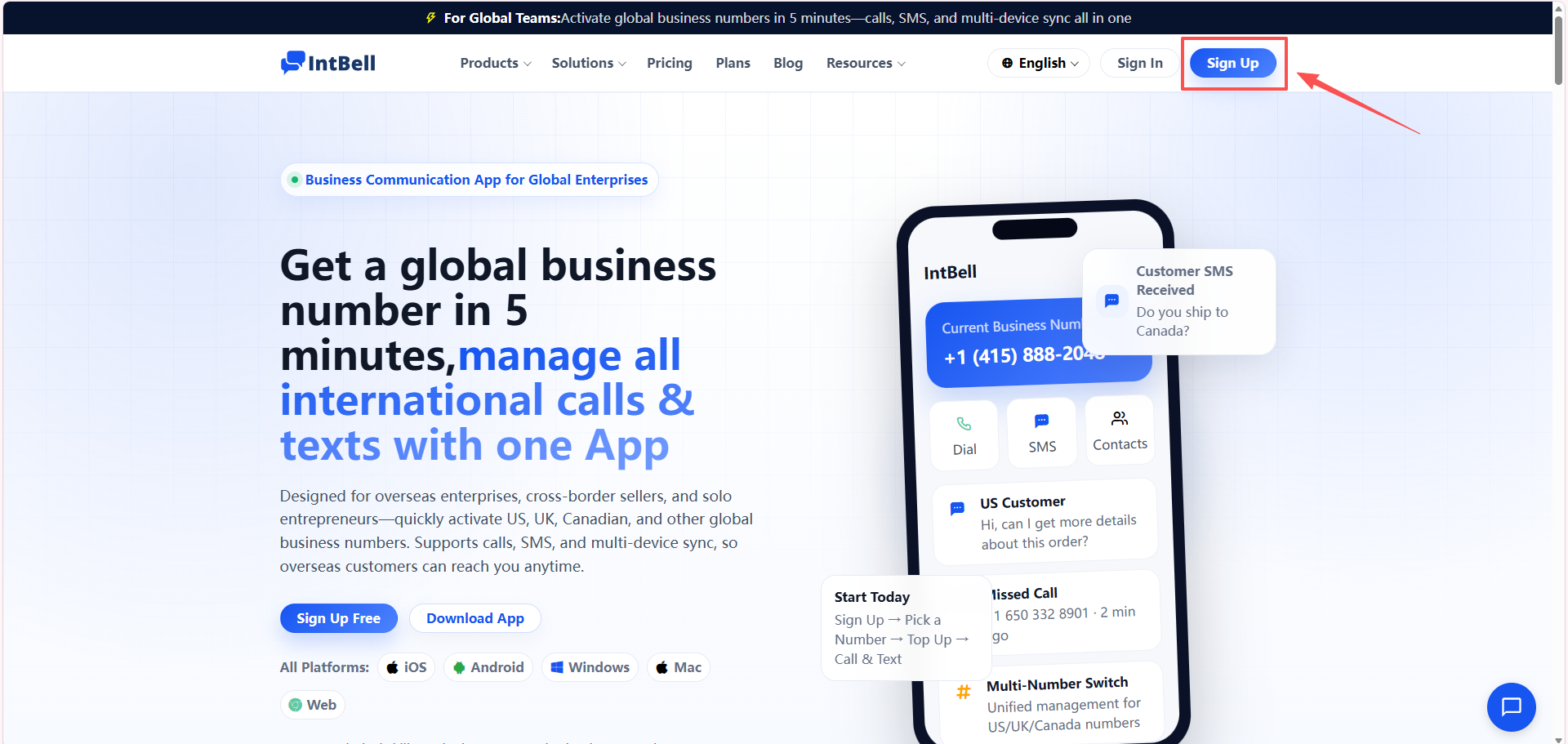
During registration, you’ll need to choose an account plan. Three options:
- Basic: No seat fee, includes 1 seat and supports 1 phone number. Suitable for individual users to try first.
- Team: $19.99/seat/month, up to 3 seats, multiple numbers can be purchased. Suitable for small teams.
- Business: $26.99/seat/month, up to 50 seats, unlimited numbers. Suitable for businesses with scale requirements.
If you’re just applying for one US number for personal use, the Basic plan is enough. You can upgrade anytime later when you need more numbers or team collaboration.
Fill in your email and verification code to complete registration. Individual users need to verify their phone number and email; business users need to provide a business license number or tax ID.
Step 2: Go to the Number Purchase Page
After logging in, find “Phone System” → “Buy Number” in the left navigation bar of the console, and click to enter the number marketplace.
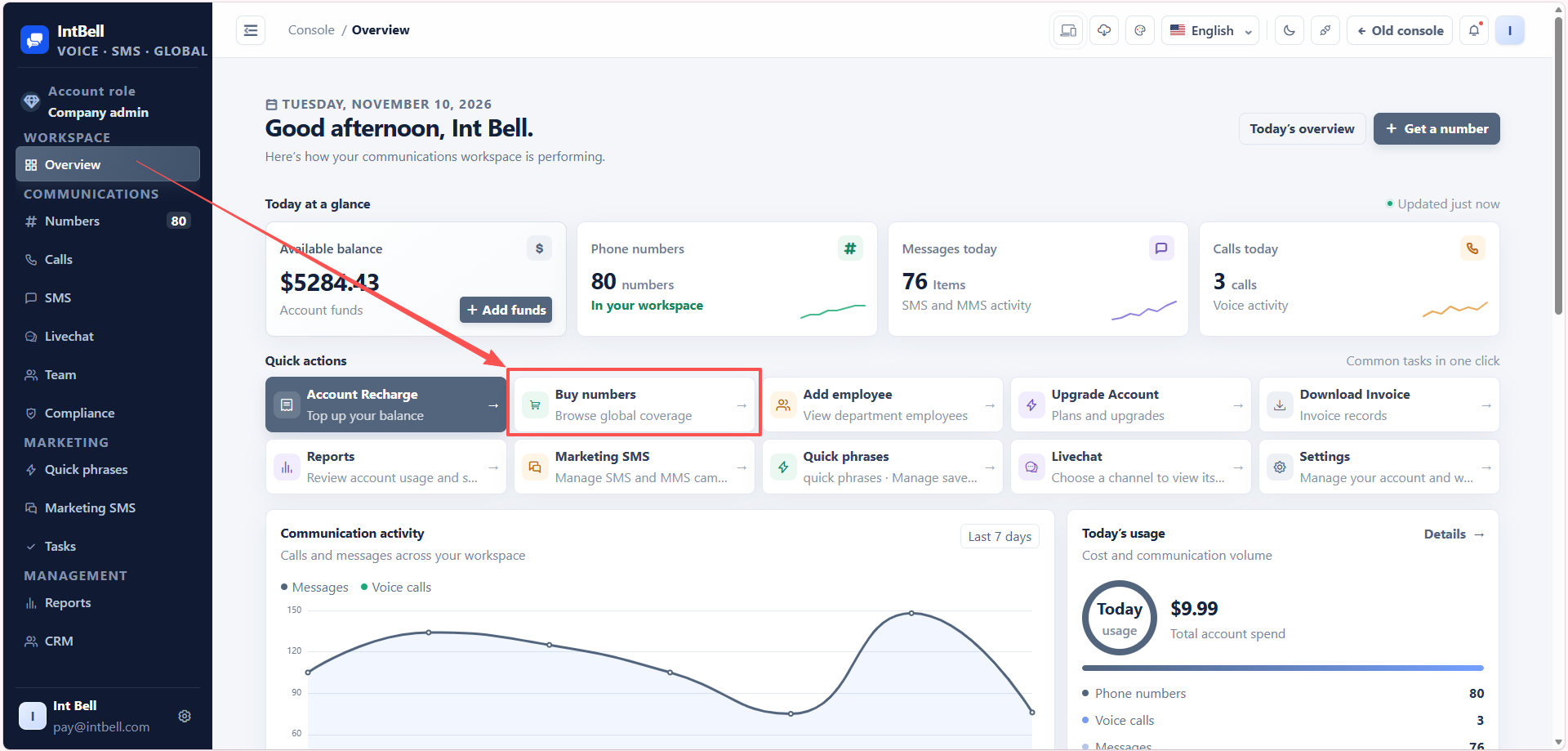
Step 3: Filter for US Numbers
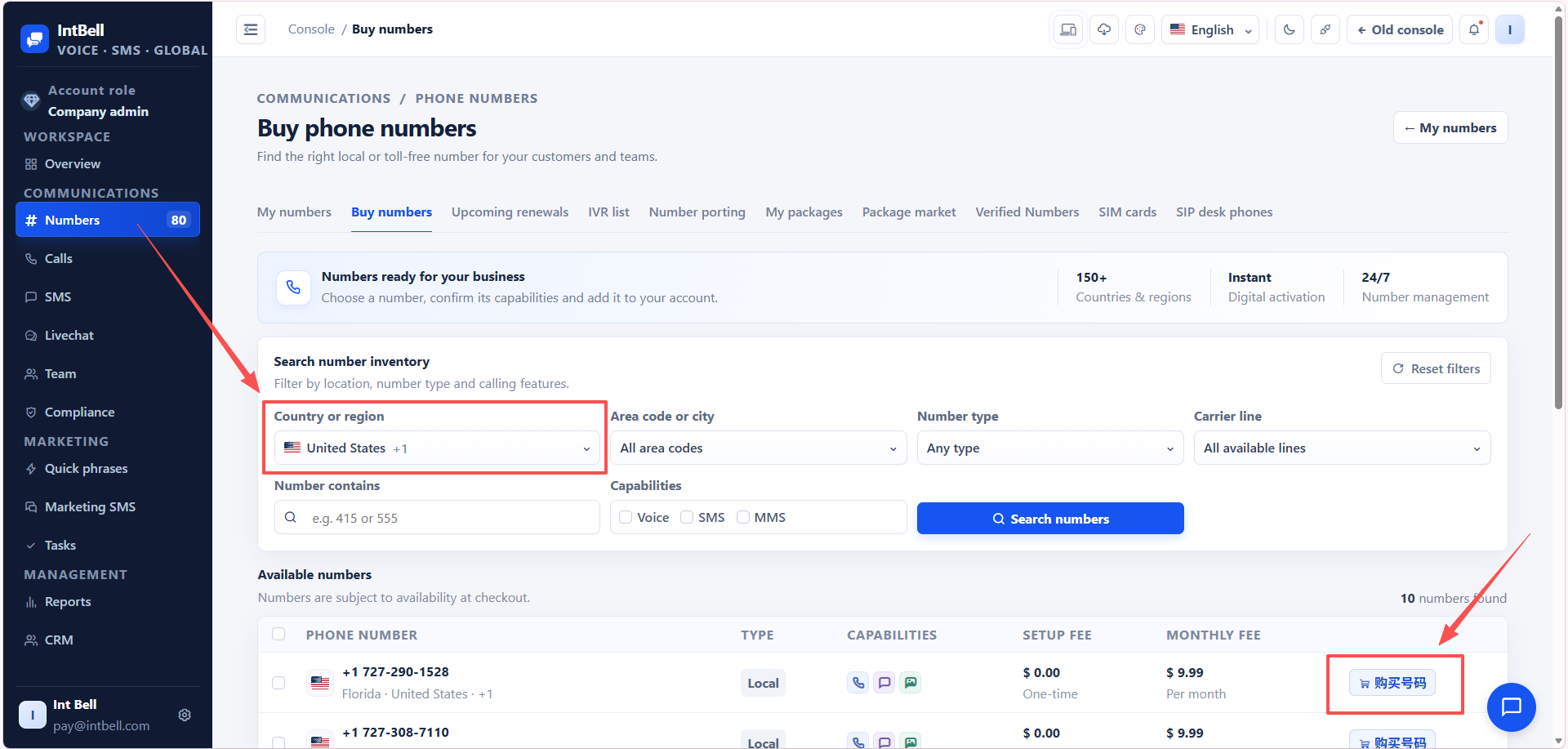
Once in the number list, filter by the following criteria:
- Country/Region: Select “United States”
- Number Type: Choose local or mobile number as needed
- Area Code (optional): If you have a target region, enter the specific area code
After clicking search, the list will display matching numbers, with each number showing supported features (SMS, MMS, calls), purchase fee (one-time), and monthly rental.
After comparing, click the “Buy” button to the right of the number.
Step 4: Confirm Plan and Pay
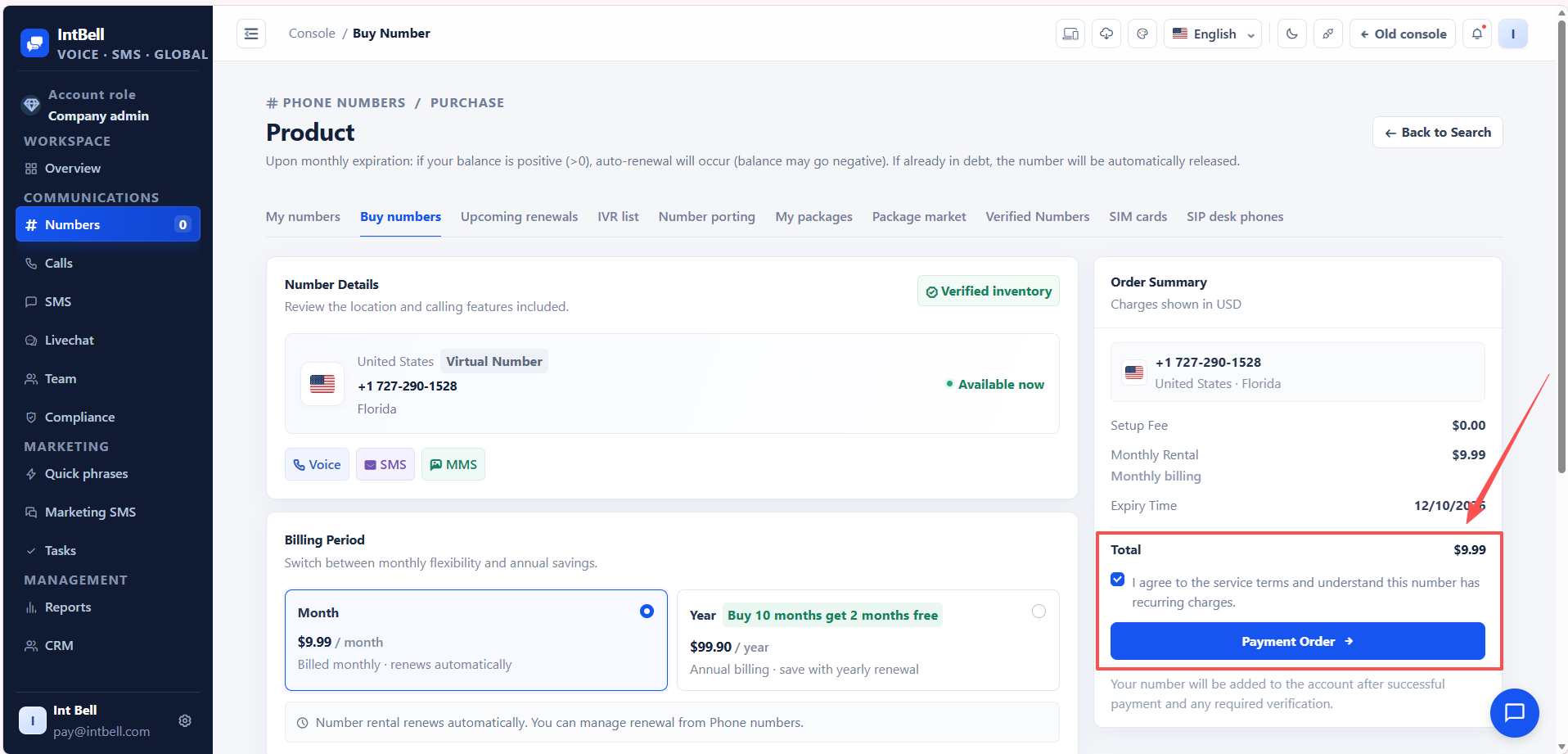
The order confirmation page will show number information and cost details. You can choose monthly or annual billing. Annual billing usually offers discounts, such as buy 10 months get 2 months free, which is more cost-effective for long-term use.
Supported payment methods include: PayPal, credit card, Alipay, Apple Pay, USDT.
After confirming the information is correct, complete payment. US numbers are ready to use immediately after payment, with no approval wait.
Step 5: Complete SMS Registration (If You Need to Send SMS)
After the number is activated, you can directly make calls and receive SMS. If you need to proactively send SMS to US mobile numbers, you need to complete the registration process with US carriers per the instructions in the console. This is a carrier requirement that applies to all VoIP numbers.
What You Can Do After Activation
Once you have your number, the following features are available immediately:
- Make and receive calls: Via the IntBell App (iOS/Android/Windows/Mac/Web), with transparent rates and no roaming fees
- Call forwarding: Automatically forward to another number or voicemail when unanswered, so you never miss a customer call
- IVR navigation (Business plan and above): Custom greetings and keypad menus to enhance your professional image
- Call recording (optional): $0.01/min, cloud storage for 60 days, export supported
- Shared team numbers (Business plan and above): Multiple people share one number with shared call logs
FAQ
Q: How long does it take to apply for a US number?
Activated immediately after payment, no approval wait. The US is an instant-activation country.
Q: Can I apply without a company?
Yes. Individual users can purchase a US number after registration, with no company qualification required.
Q: Can the number receive verification codes?
It depends on whether the target platform supports virtual numbers. E-commerce, logistics, and marketing platforms generally support them well; some banks and social platforms (such as WhatsApp and Telegram) have restrictions on virtual numbers. We recommend confirming whether your commonly used platforms support them before purchasing.
Q: Will the number be reclaimed if I don’t use it for a long time?
Numbers are tied to your account plan. As long as your account is in good standing and paid on time, the number remains active. If you cancel your plan or your account is in arrears, the number may be released.
Q: Can I port my existing number?
Yes, you can port an existing number to IntBell. Contact customer support for the specific process and required documents.
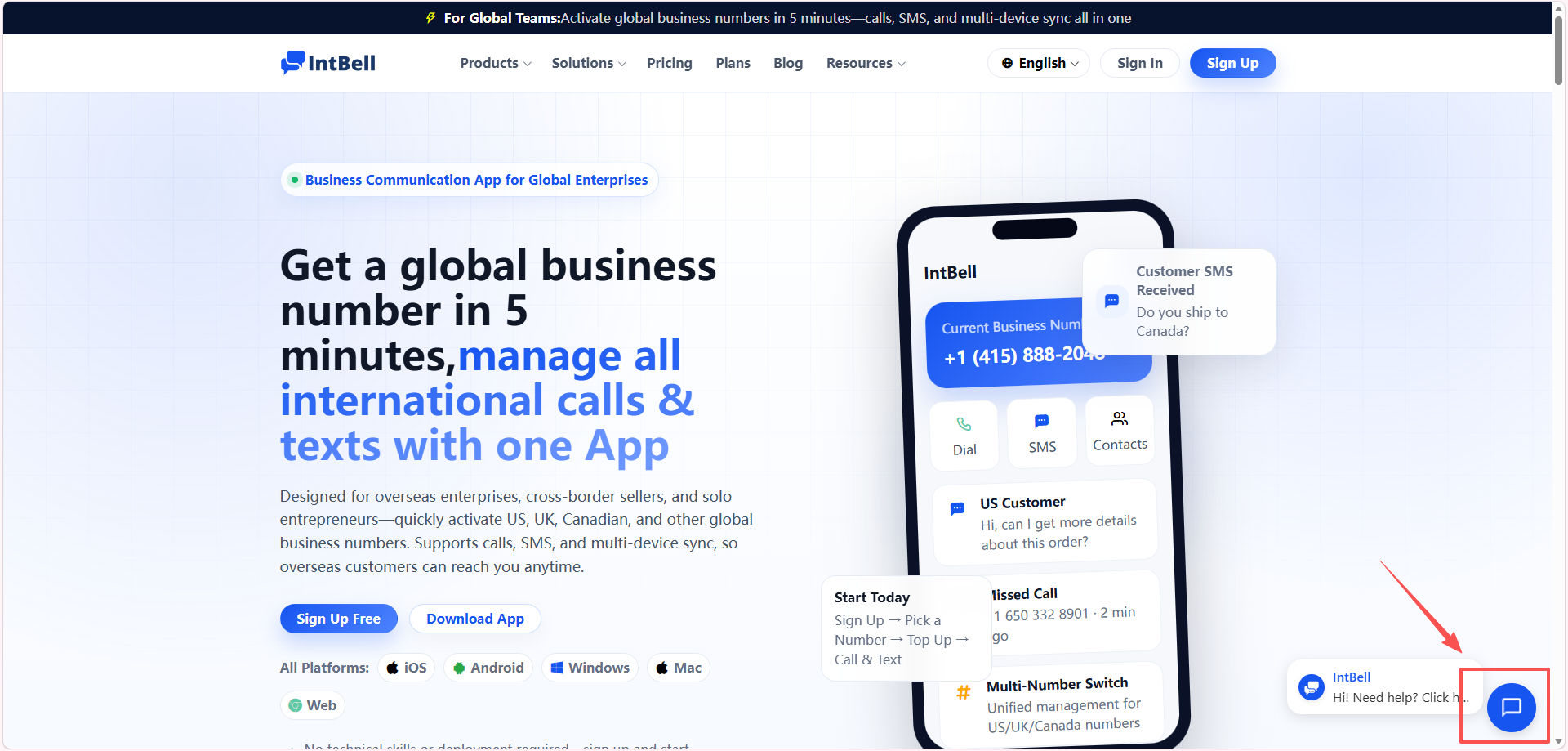
From registration to getting your US number, the whole process takes about 5 minutes. For individuals or teams that need to quickly start North American business, this is one of the lowest-barrier and clearest paths available. If you encounter any issues during the application process, you can get support via the online chat at the bottom right of the website or by emailing support@intbell.com.
Rates and feature information in this article are subject to real-time display in the IntBell console. Some plan benefits may be adjusted with version updates.